
Explore software / Analytics & Insights / Sales & Revenue Insights
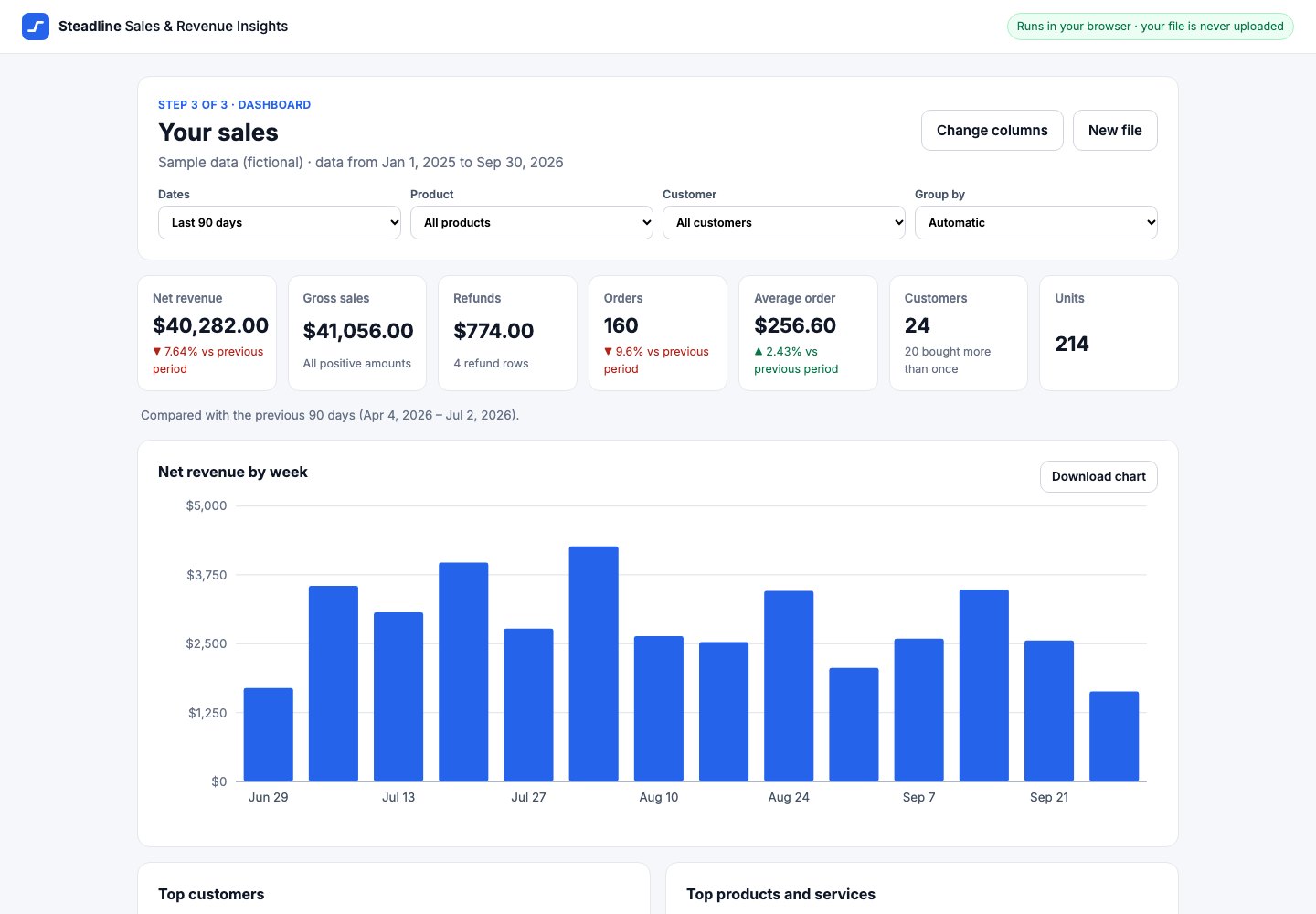
Real screenshots of the working app, using the fictional sample sales file.
Analytics & Insights
Sales & Revenue Insights
Upload a sales export and see your revenue trend, this period against the last, and your best customers and products.
Choose a CSV export of your orders or invoices (from Stripe, Square, Shopify, QuickBooks or your own spreadsheet), confirm which column is which, and get a dashboard: net revenue, gross sales and refunds, orders, average order, a revenue trend by day, week, month or quarter, a comparison with the previous period, and your top customers and products. Filter by dates, product or customer, and export a summary. Free, no account: the file is analysed in your browser and never uploaded.
- Status
- Free
- Delivery
- Runs in your browserNothing to install and no account. Your file is analysed on your device and never uploaded.
- Price
- FreeFree to use, with no account and no paid plan. Limits: files up to 5 MB and 50,000 rows.
- Preview
- The working app, with a fictional sample sales file
- Can I buy it?
- Nothing to buyOpen it and use it in your browser today. There is no purchase and no account.
What it does
- Works with your exports
Any CSV with one row per sale and a date and an amount: Stripe, Square, Shopify, QuickBooks or a spreadsheet. Columns are detected for you and you can change them.
- The numbers that matter
Net revenue, gross sales, refunds, orders, average order, customers and repeat customers, with the change against the previous period.
- Revenue trend
A chart by day, week, month or quarter. Periods without sales show as zero, so gaps are visible.
- Best customers and products
The top ten by revenue with their share, plus "Other".
- Filters
Date ranges (last 30 or 90 days, 12 months, year to date or custom), one product or one customer.
- Export
A summary CSV of what you see, the chart as an image, or print to PDF.
What is included
- The app in your browser, free
- A sample file to try it in one click
- Summary CSV, chart image and printable report
- No account and nothing to install
Add-ons
No add-ons: everything above is included. Integrations are not available yet, so they are never charged.
Changing it later
Choose which columns to use, the date range, the grouping and the filters. Customizing is optional and never part of buying.
Requirements
- A CSV file with a date column and an amount column (up to 5 MB and 50,000 rows)
- A current version of Chrome, Edge, Safari or Firefox
Limitations
- Your file is not stored: closing the tab clears it (only your column choices are remembered on this device)
- One file at a time; one currency per file
- Amounts are used exactly as exported: Steadline cannot tell whether they include tax or fees
- No accounts, sharing or connections to other apps yet
AI answers about Steadline software only, from the catalog on this site. It can make mistakes; product pages are authoritative. It cannot buy, reserve or sign you up.