
Explore software / Business Games / Live Trivia
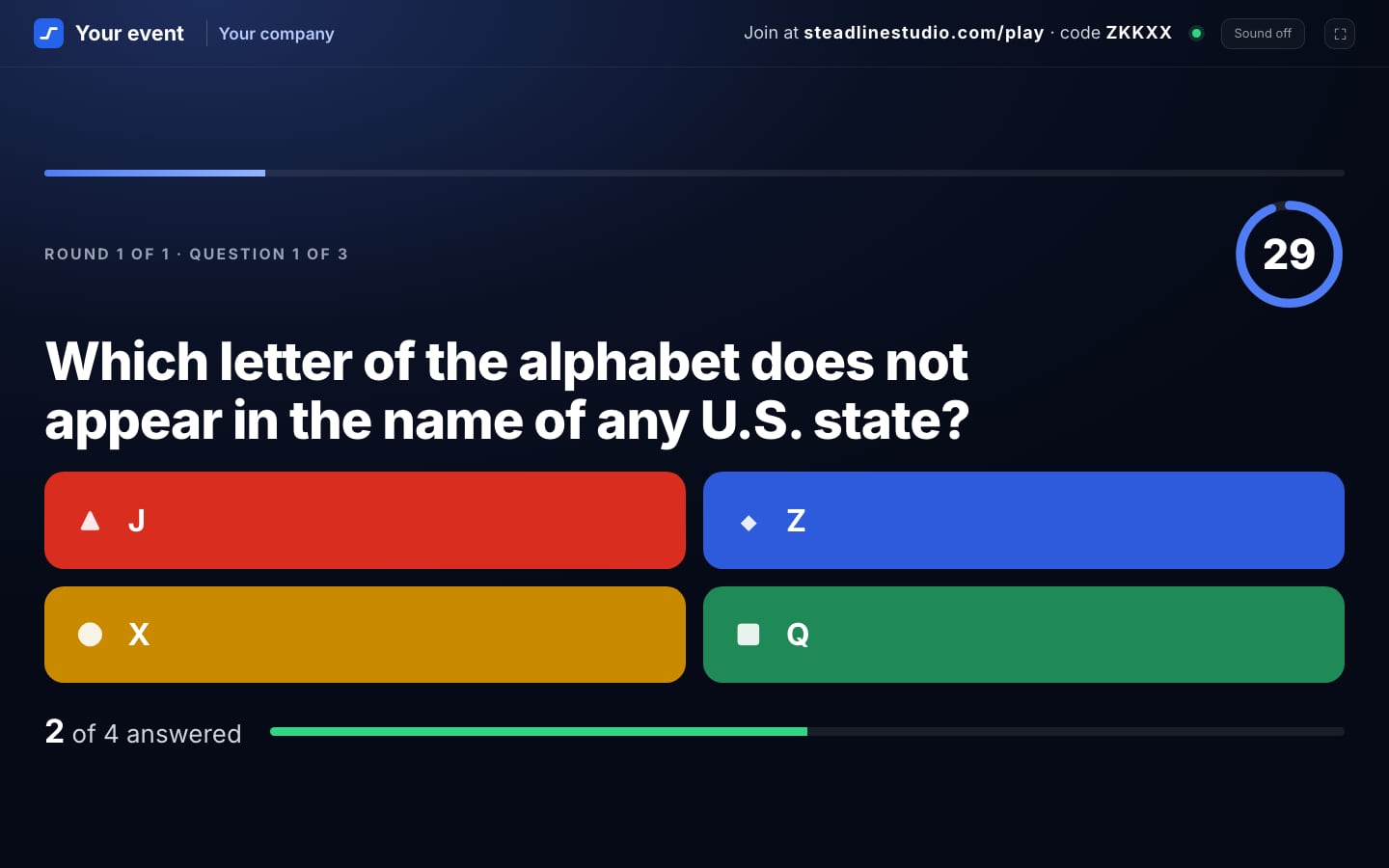
Real screenshots of the multiplayer game: a sample game with placeholder names.
Business Games
Live Trivia
Host a free trivia game: players join from their phones with a QR code or room code.
Timed trivia for team meetings, kickoffs, training days and events. You host from a laptop, put the questions on a shared screen, and everyone answers on their own phone after joining with a room code or QR code. Players need no app and no account.
- Status
- Free to host
- Delivery
- Hosted · runs in the browserHost from a laptop browser and show the presenter display on a shared screen; players join from their phone browser. Nothing to install.
- Price
- Free to hostNo card and no charge at launch. Hosting needs a Steadline account with a confirmed email; players need no account.
- Preview
- A simulation with simulated phones (real phones join only the real game)
- Can I buy it?
- Nothing to buyCreate a free account, confirm your email, then create a game. Nothing to pay.
What it does
- Host console and presenter display
Run the game from your laptop; put a separate, control-free display on the TV or projector.
- Join with a code or QR code
Players open the join page in their phone browser. No app, no account, up to 100 players.
- Timed questions, run by the server
The game server keeps the timer, the answers and the scores. Pause a question whenever you need a moment.
- Teams
Two to four teams, balanced automatically or picked by players in the lobby, scored by average points per member.
- Your own questions
Four starter trivia packs and a team icebreaker poll pack, or write your own pack, or import a CSV or JSON file (up to 100 questions).
- Results
A final leaderboard on every screen, a results CSV, and saved results in your account for 30 days.
How a game works
- 1Sign in and set up
Create a free Steadline account and confirm your email (no card). Live Trivia opens ready to host: pick a starter pack and press Create game.
- 2Put it on the big screen
Open the presenter display on the TV or projector. It shows the code, the questions and the results, and has no controls.
- 3Players join
Everyone opens steadlinestudio.com/play on their phone, or scans the QR code, and types their name. No app and no account.
- 4Play and finish
You start, pause and advance the game; the server keeps time and scores. Finish with a leaderboard, download the results, or start another game in the same room.
Who it is for
Teams and organisers who want a quick, shared activity: weekly meetings, all-hands, kickoffs, onboarding and training days, and company events, in the room or with a shared screen on a call. Up to 100 players per game. For workplaces, teams and adult audiences; not for children under 13.
Teams and your own questions
Play individually or in 2 to 4 teams, balanced automatically or picked by players; a team scores the average of its members, so team size does not decide the winner. Write your own pack or import a CSV or JSON file (an example file is provided); a pack is checked before you can host it.
Rooms and results
A room stays open while it is in use and is deleted 3 hours after its last activity. If the host page refreshes or a connection drops, the game keeps running on the server and screens reconnect by themselves, usually within seconds. Finished results are saved to your account automatically for 30 days, and a results CSV can be downloaded after each game.
The simulation and the real game
The simulation runs entirely in one page with simulated phones, so you can see how it plays without an account; real phones cannot join it. The real game uses Steadline's game server: you host from the host page and real phones join with the room code.
Pricing
Free to host at launch: create a free Steadline account, confirm your email, then create a game. Players need no account. No card and no charge.
Free
Open now
Good to know
- No card and no checkout: Live Trivia is free to host at launch. Limits: up to 100 players per game; up to 10 new rooms an hour and 30 a day per host; saved results are kept for 30 days.
What is included
- A host console and a presenter display for each game
- A room code and join QR code; players join from their phone browser
- Four starter trivia packs and a team icebreaker poll pack, plus your own packs (write or import)
- A results CSV after every game, and saved results for 30 days
Add-ons
No add-ons: everything above is included. Integrations are not available yet, so they are never charged.
Changing it later
Change the event title, company name, accent colour, timer, rounds and teams before each game, and edit your question packs at any time. Customizing is optional and never part of buying.
Requirements
- A free Steadline account with a confirmed email address, to host
- A laptop or desktop browser for the host console; any screen with a current browser for the presenter display
- Players: a phone with an up-to-date web browser and an internet connection
- A stable connection for everyone: the game is live, so answers need a connection when they are sent
Limitations
- Up to 100 players per game, one answer per question; late answers do not count
- A room is deleted 3 hours after its last activity; finished results stay in your account for 30 days
- Up to 10 new rooms an hour and 30 a day per host account
- Multiple-choice questions only (2 to 4 options); no images or audio yet
- Screens catch up within seconds after a dropped connection, not instantly; a phone that is offline when the timer ends misses that answer
More in Business Games
AI answers about Steadline software only, from the catalog on this site. It can make mistakes; product pages are authoritative. It cannot buy, reserve or sign you up.