
Explore software / Flowcharts & Diagrams / Steadline Flow Studio
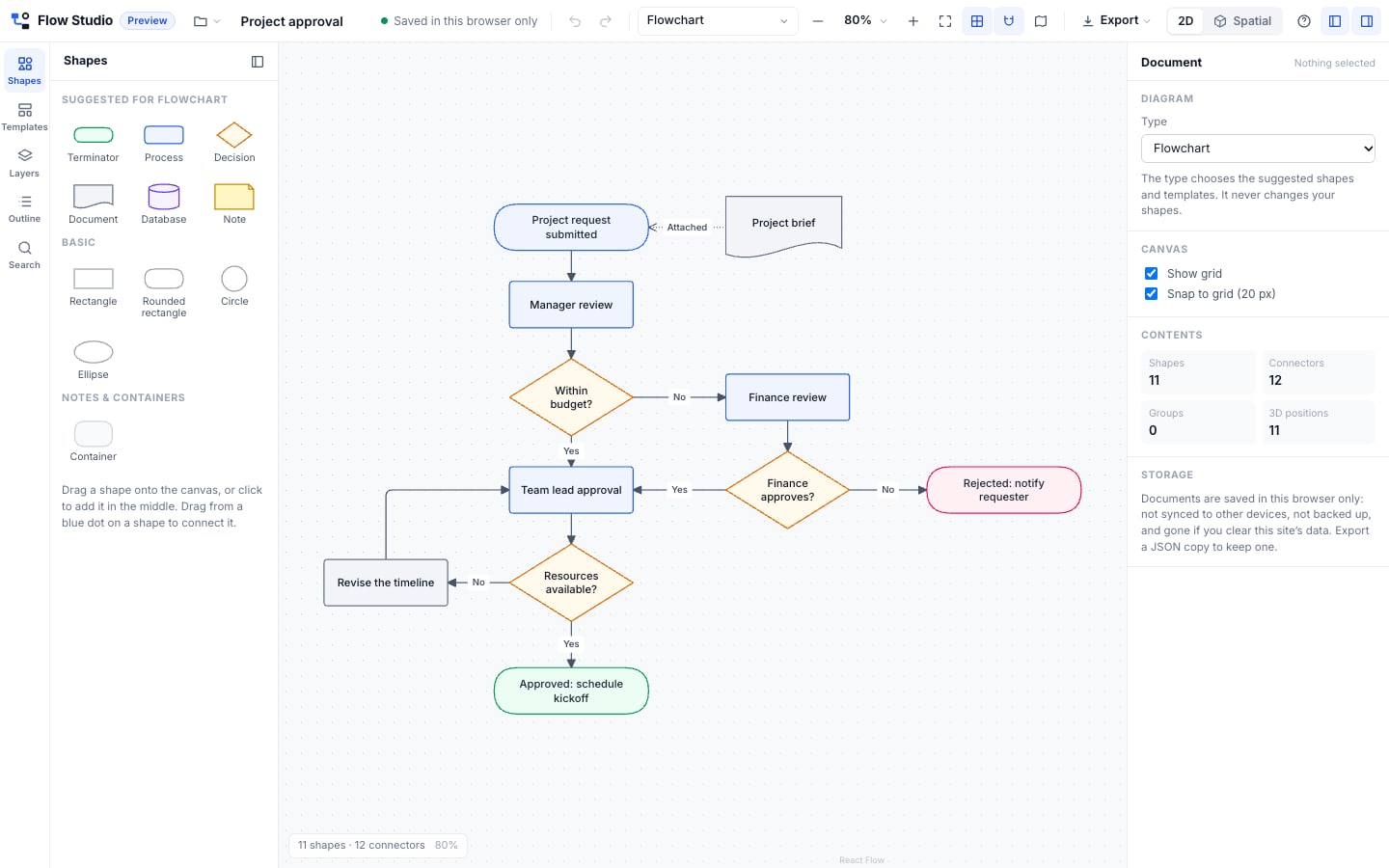
Real screenshots of the working editor with neutral template content.
Flowcharts & Diagrams
Steadline Flow Studio
Draw flowcharts, org charts, process maps and architecture diagrams in your browser.
A diagram editor with 11 shapes, connectors that stay attached when you move things, eight starting templates, alignment and grouping tools, undo and redo, and PNG, SVG and JSON export. Switch the same diagram to a spatial view to explore groups, layers and hierarchy in 3D. Open it and start drawing: no account is needed. It is a preview: documents are saved in your browser only.
- Status
- Free preview · In development
- Delivery
- Runs in your browserNothing to install and no account. During the preview, documents are saved in that browser only.
- Price
- Free previewFree to use while it is a preview. It has no price and no paid plan; how it will be sold is decided before it is sold.
- Preview
- The working editor, with a sample diagram
- Can I buy it?
- Not for saleUse it free in your browser today. Nothing can be bought, reserved or pre-ordered.
What it does
- 11 shapes
Rectangle, rounded rectangle, circle, ellipse, decision, process, terminator, document, database, note and container: drag, resize, edit text, colours and borders.
- Connectors that stay attached
Straight, elbow or curved, with arrowheads and labels. Drag a connector’s end to reconnect it; it follows shapes as they move.
- Precise editing
Grid and snap, box selection, align and distribute, group into containers, bring forward or back, copy and paste, keyboard shortcuts, undo and redo.
- Eight templates
Basic flowchart, sales pipeline, customer onboarding, org chart, software architecture, project approval, customer journey and decision tree.
- Export and import
PNG (2×) and SVG images, and the native JSON file to keep a copy or move it to another browser.
- Your documents
New, open, rename, duplicate and delete diagrams. Autosave in this browser with a visible save status.
- Spatial view of the same diagram
One click turns the diagram into a 3D scene: layer groups stack as levels, clusters sit side by side, hierarchies rise. Orbit, zoom, select, edit labels and colours, move shapes and whole groups, collapse groups and fly between them; every change is the same document in 2D, with one undo history.
What is included
- The Flow Studio editor in your browser, free during the preview
- Eight editable templates
- PNG, SVG and JSON export of every diagram
- No account and nothing to install
Add-ons
No add-ons: everything above is included. Integrations are not available yet, so they are never charged.
Changing it later
Everything in a diagram can be edited: shapes, text, colours, connectors and layout. Customizing is optional and never part of buying.
Requirements
- A current version of Chrome, Edge, Safari or Firefox
- A computer or tablet: on a phone you can view and pan diagrams
Limitations
- Documents are saved in this browser only: not synced, not backed up and gone if you clear the site’s data
- No accounts, sharing or real-time collaboration yet
- No Visio or Lucidchart import
- The spatial view needs WebGL and is for viewing on phones (editing it needs a computer or tablet)
- Not for sale: there is no price and no paid plan